Screenshots of smoothed terrain. Still largely WIP. I’m planning to add normals to mountains next.
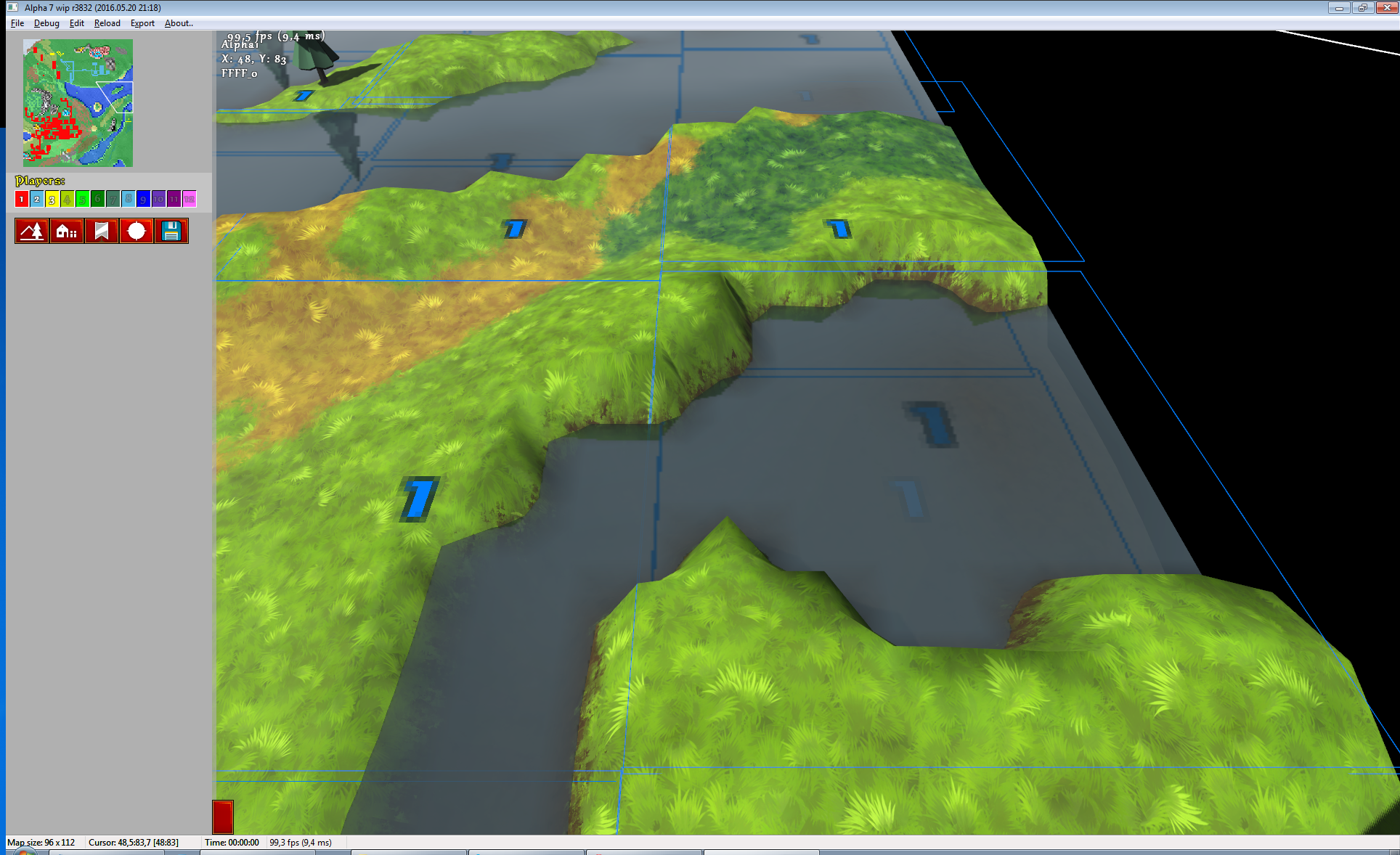
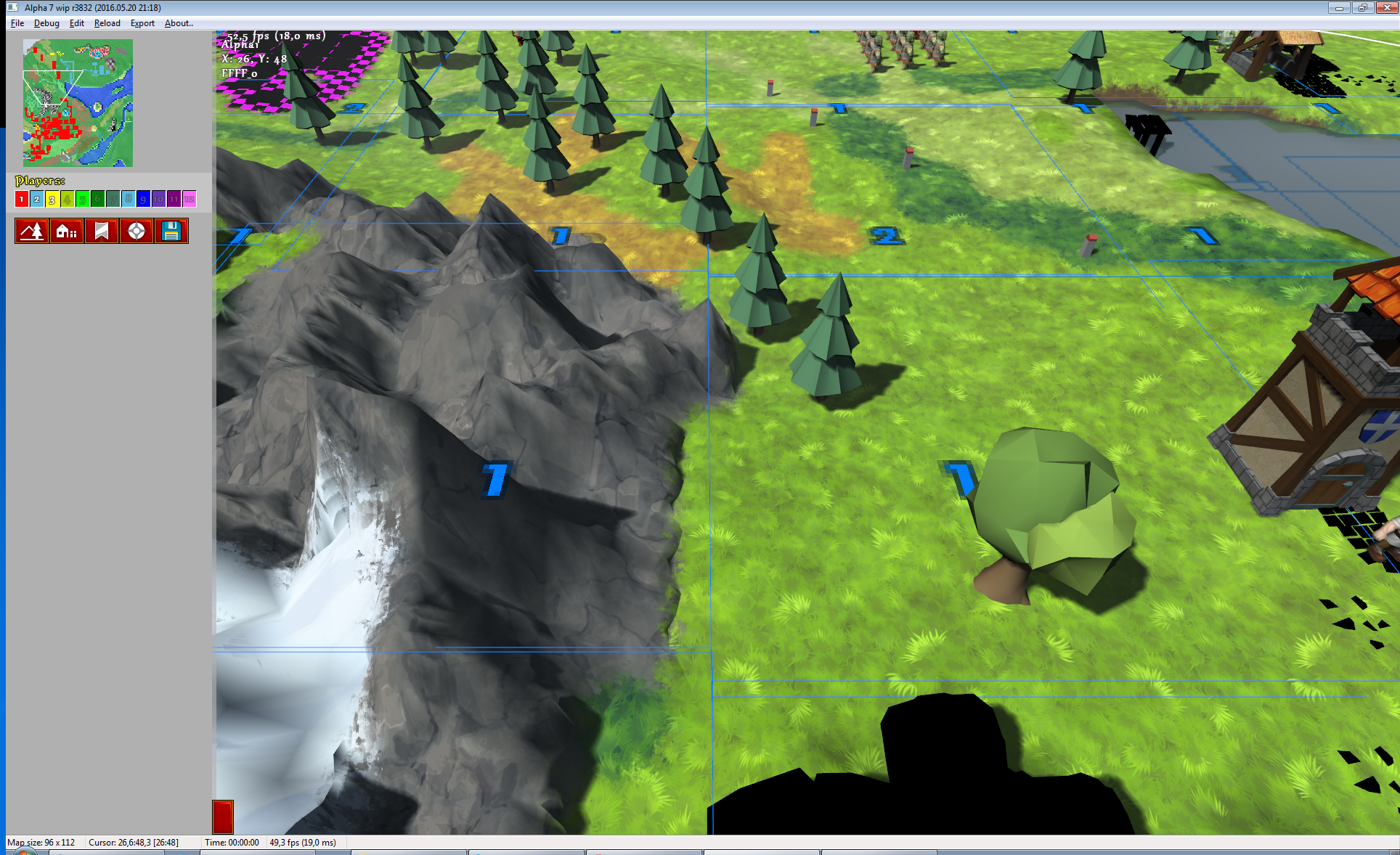
Screenshots of smoothed terrain. Still largely WIP. I’m planning to add normals to mountains next.
I have got this reply from sado1 (forum link) on previous post about terrain textures. I thought many would be interested in replies, so here goes:
It might be too early to mention that, but right now the terrain looks repetitive at places where there’s a lot of one type of it.
I’m a lousy mapmaker, we all can admit that xD. That is why Knights Province has so few maps and even fewer nice looking ones. To compensate for that I’m spending time to keep KP MapEditor up to date, with editing features that game needs. Among which are:
In KaM, we first picked a brush (for example, grass brush), painted all over the grass areas, then picked individual tiles (which looked almost the same as the main, clean grass tile, but they were slightly different) and made the grass more varied with it.
I’m planning to have several grass textures with different decorations (flowers, stones, etc.) Overall the game will likely have 30+ terrain textures. Game engine does not allow to set each individual tile, so the process is likely to be less “custom art” at choosing exact texture flower to be on some exact tile spot. However, engine allows for decals (tile decorations that stick on to tiles surface, e.g. roads are made like so) that could be used for similar purpose, if we have flowers decals mapmaker could choose where to place them to break the monotony of surface. Overall I’m aiming to keep mapmaking simple (pick terrain, paint it down) and “deep” (create beautiful pieces from variety of tools and techniques). I’m very much looking forward to community feedback on how we could make terrains better within engine possibilities!
I assume that’s not the way you’d want it to be in KP. I am not sure you want to let people use tiles at all (I think that instead, you’re opting for simple textures), but how about somehow randomizing the textures, or having 4-5 texture sub-types of most of the terrain variants? The way I see it, a sub-type would be just another brush, but just like KaM individual tiles, it could be used to subtly change the terrain appearance. I think these sub-types would definitely be needed for grass and any other frequently used types, like dirt. On a second thought, though, for the final game it would be ideal to have it for stuff like mountains as well – I’m not sure whether you’re familiar with the procedure of making good looking mountains in KaM (using individual tiles and elevating them properly to make nicely looking cracks etc.), but something similar might be needed for KP too – so, some cracked mountain textures might be nice as well.
Terrain is still composed of tiles, but in a bit different way. Now, instead of tile image they are governed by surface types on corners. Best of all this allows for any terrain to be placed next to any terrain (no more ugly seams that have to be hidden behind trees and such). Right now engine allows for number of ways and variants of making terrain appearance different, it just lacks content and active mapmakers.
By the way, a random question: will mountains cast shadows? 😛
Mountains already cast shadows in Alpha 6 and they will keep doing it in all upcoming versions (unless bugs). The sun in the game is set to about noon, so all shadows are quite short. Editing sun position within certain limits sounds like a good idea.
edit – any plans for animating the textures, for example for lava?
I plan so. My idea is to have 2-3 lava textures that over time will slowly blend into one another.
There are a couple of positive effects of rewriting terrain render, among which much better scalability. Previously one terrain chunk (8×8 tiles) was limited to having just 4 textures. Now they are automatically split into buckets with 4 textures each. Here’s debug render with 5 textures in a chunk:
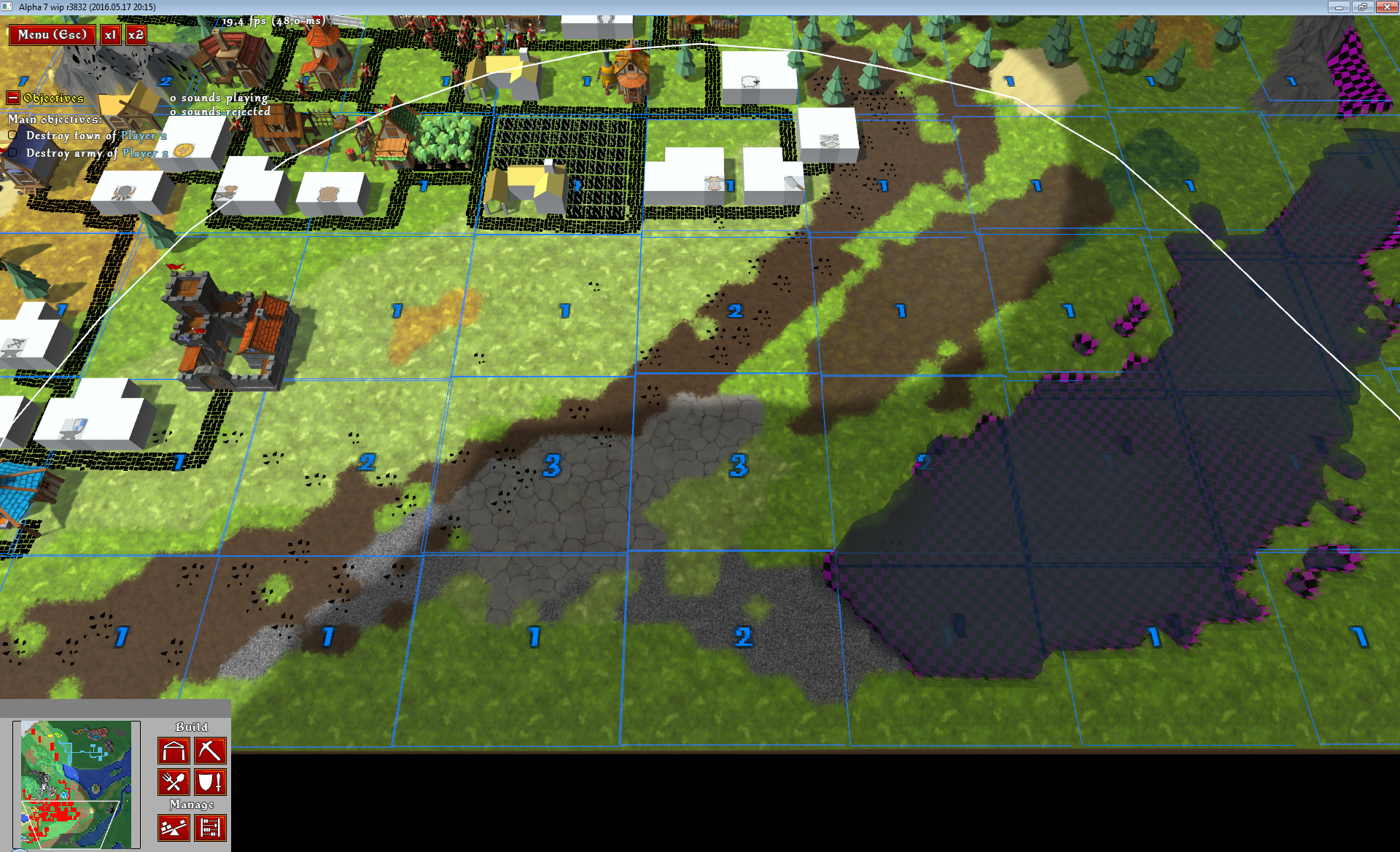
Number shows how many buckets are used in a chunk (+1 extra bucket for decals, which are untextured yet)
*click on images to enlarge (or right-click – “open in new tab”, if this does not work)
And this one has much more:
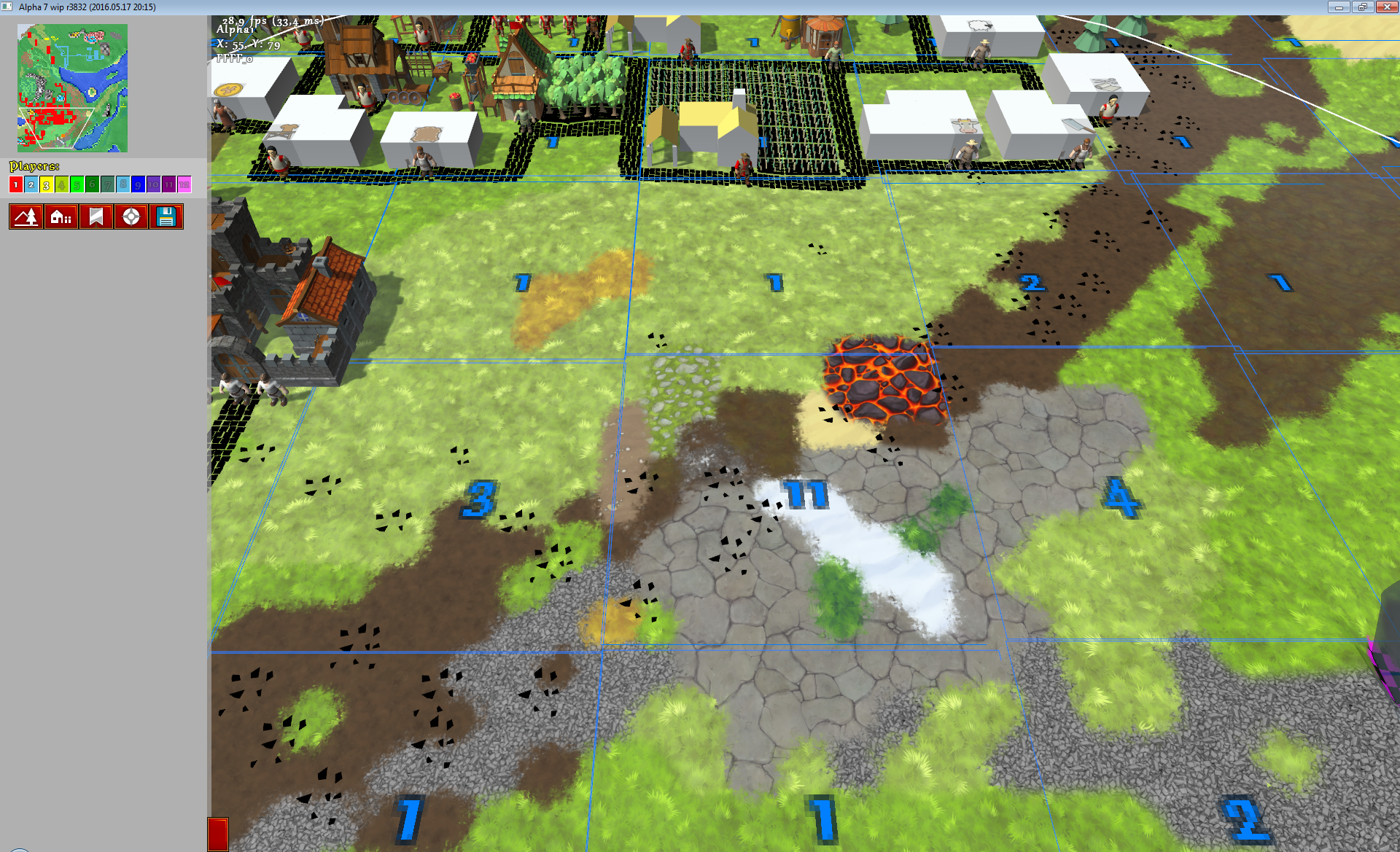
Can you count how many different textures are here?
P.S. Textures are being made by Eleni Wat.
Once again I’m thinking about reworking terrain render. Introduction of terrain textures rendered old terrain render approach useless.
Let’s recap how it works. Till now everything gets assembles from tiles. Each tile having from 2 to 20+ polygons to show different terrain type and transitions between them:
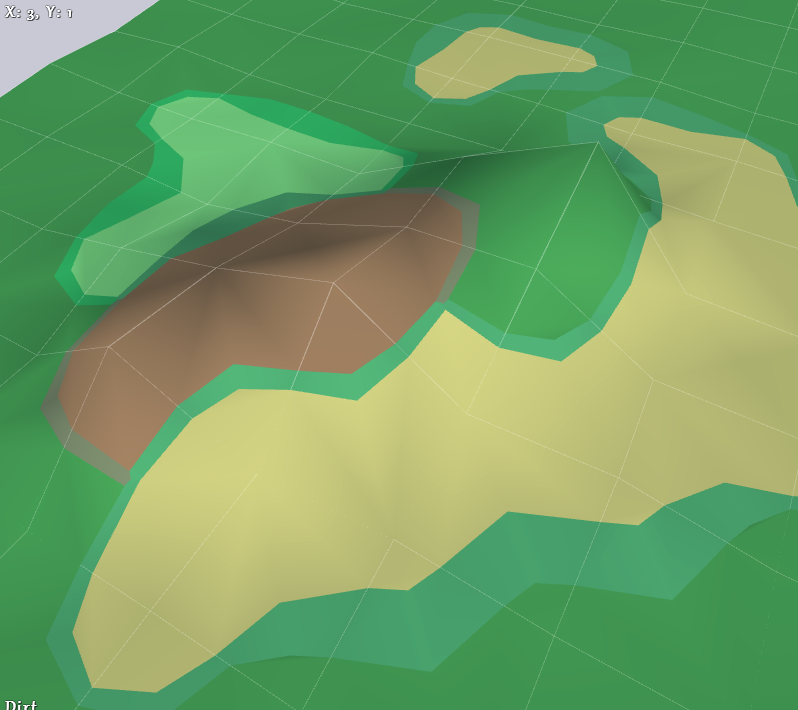
Everything is made from colored polygons here
Now with textures and procedural transitions between them it is no longer necessary to have extra polygons. Each tile can be just 2 triangles (except for special cases described below).
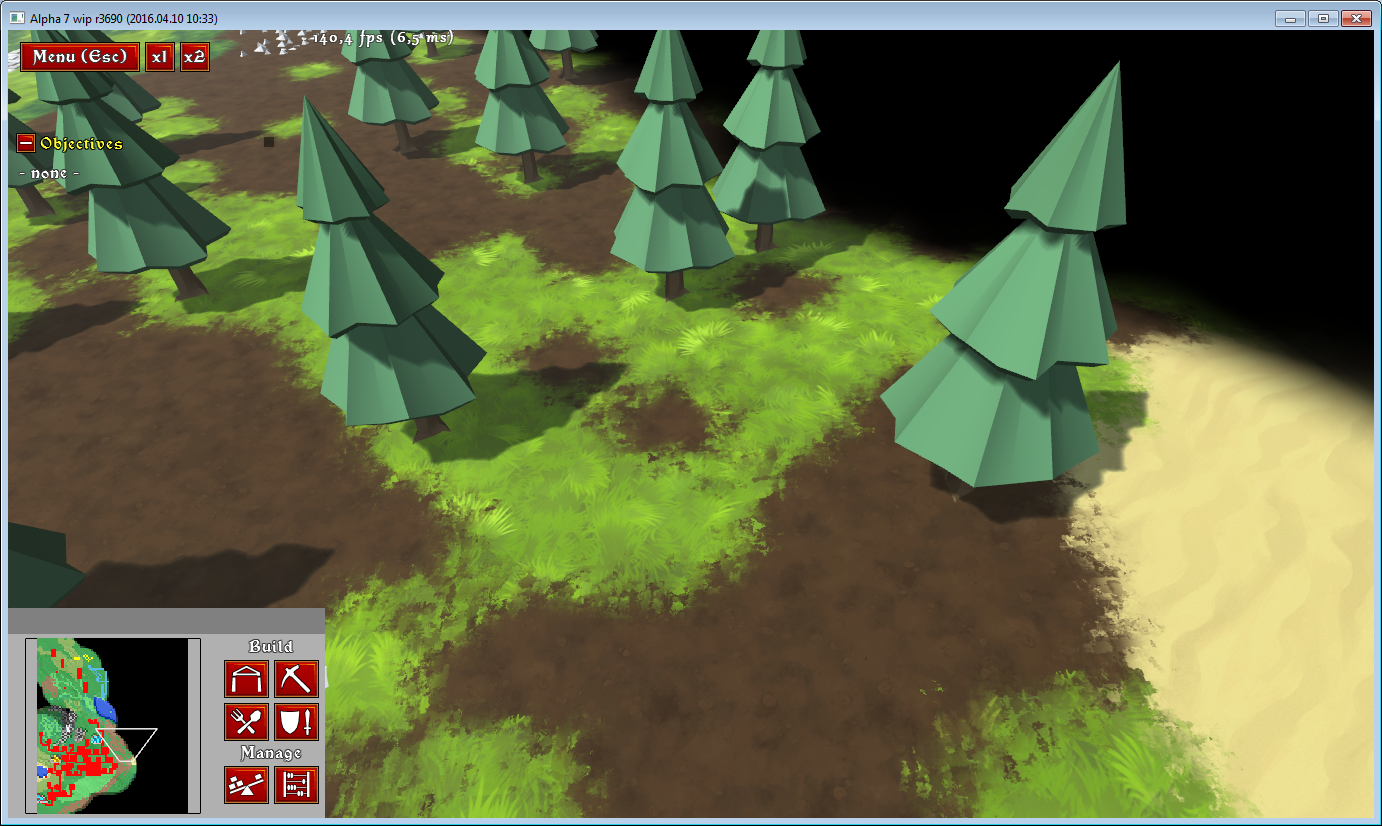
Textures don’t need extra polygons
And then there’s no need for complicated assembly of terrain out of a set of tiles, where each one has to be picked and transformed to fit into its place. All this can be replaced with a uniform mesh where just textures weights have to be applied.
There’s a problem though (or two). Mountains and gorges. Mountains need extra polygons to look mountainous. They need volume and interesting profile. I also want the game to have gorges like these:
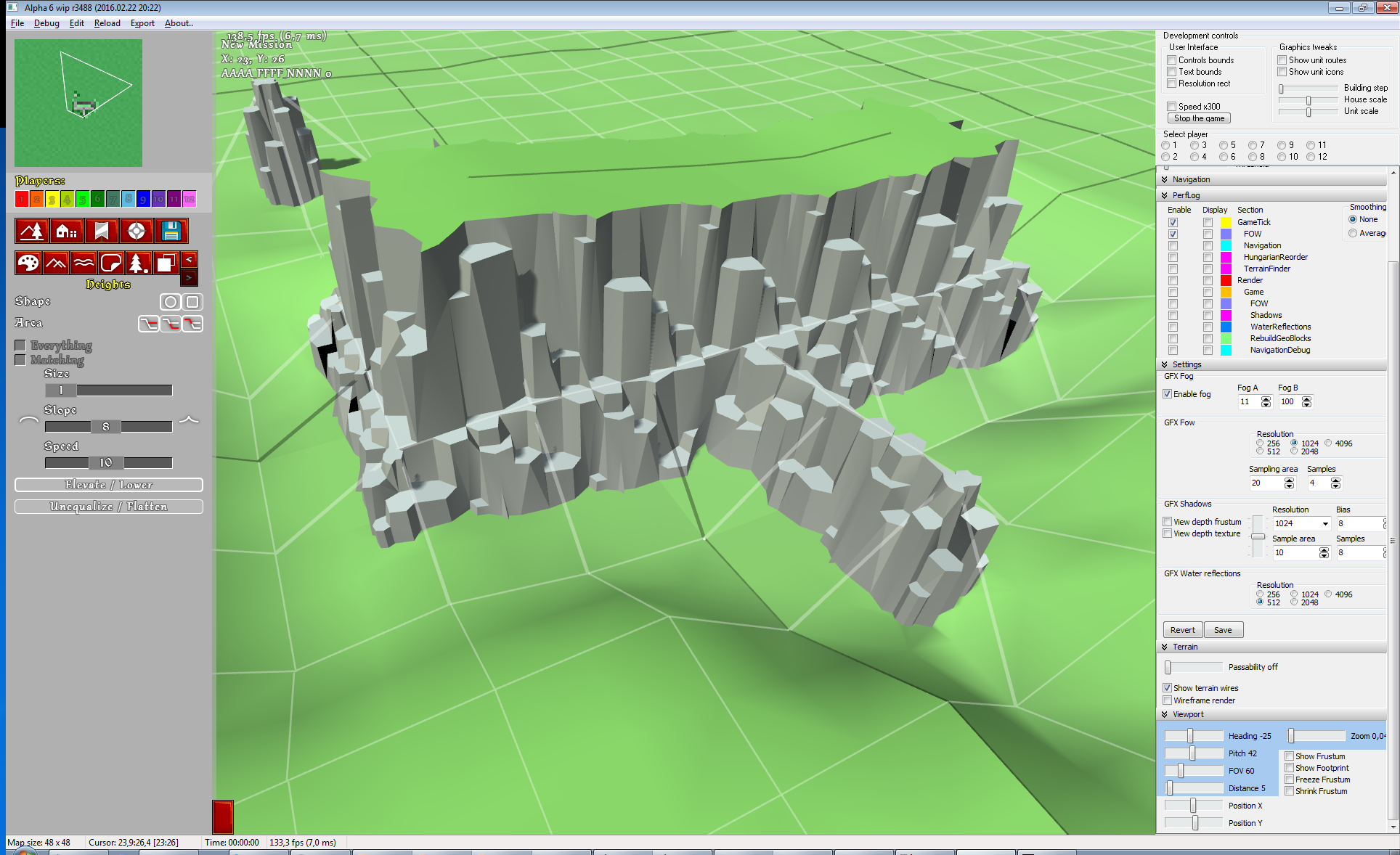
A kind of gorges that Knights Province needs
Mountains being a smaller problem – they could be made of a separate mesh, similar to “plain” terrain. A more detailed and volume mesh that rise above “plain” mesh only when there are mountains. The problem here is the transition between 2 meshes – it could look unnatural if mountain comes out of grass for example.
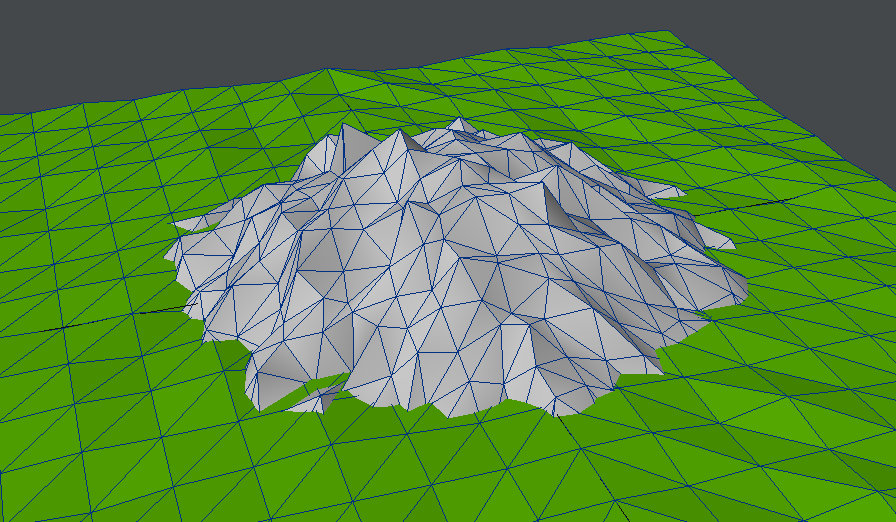
Unnatural example mock up
What is good with this approach, is that is water rendering fits in nicely into this “meshes-layers” paradigm. So there’s flat terrain mesh, walkable and interactive in game (can be flattened and such). Then there’s water surface mesh (which could become editable in MapEd and could acquire some special properties alike “flow direction”). And finally mountains mesh that could be more detailed and much less regular to allow for wilder mountains shapes. So let’s say that evens out the ugly flat-mountains transition.
Gorges are a different problem. I haven’t found solution for them yet ..
From time to time I search for Knights Province on Google or YouTube, to see if there’s anything new about it that I don’t know. Today I have spotted another Knights Province video on YouTube (almost 1 month old). It was interesting to watch someone playing the game with little prior experience and comparing it with Settlers:
Also it was very helpful to see problems with the game (such as crowded maplist or debug keys not being disabled).
Thank you whoever did this video!
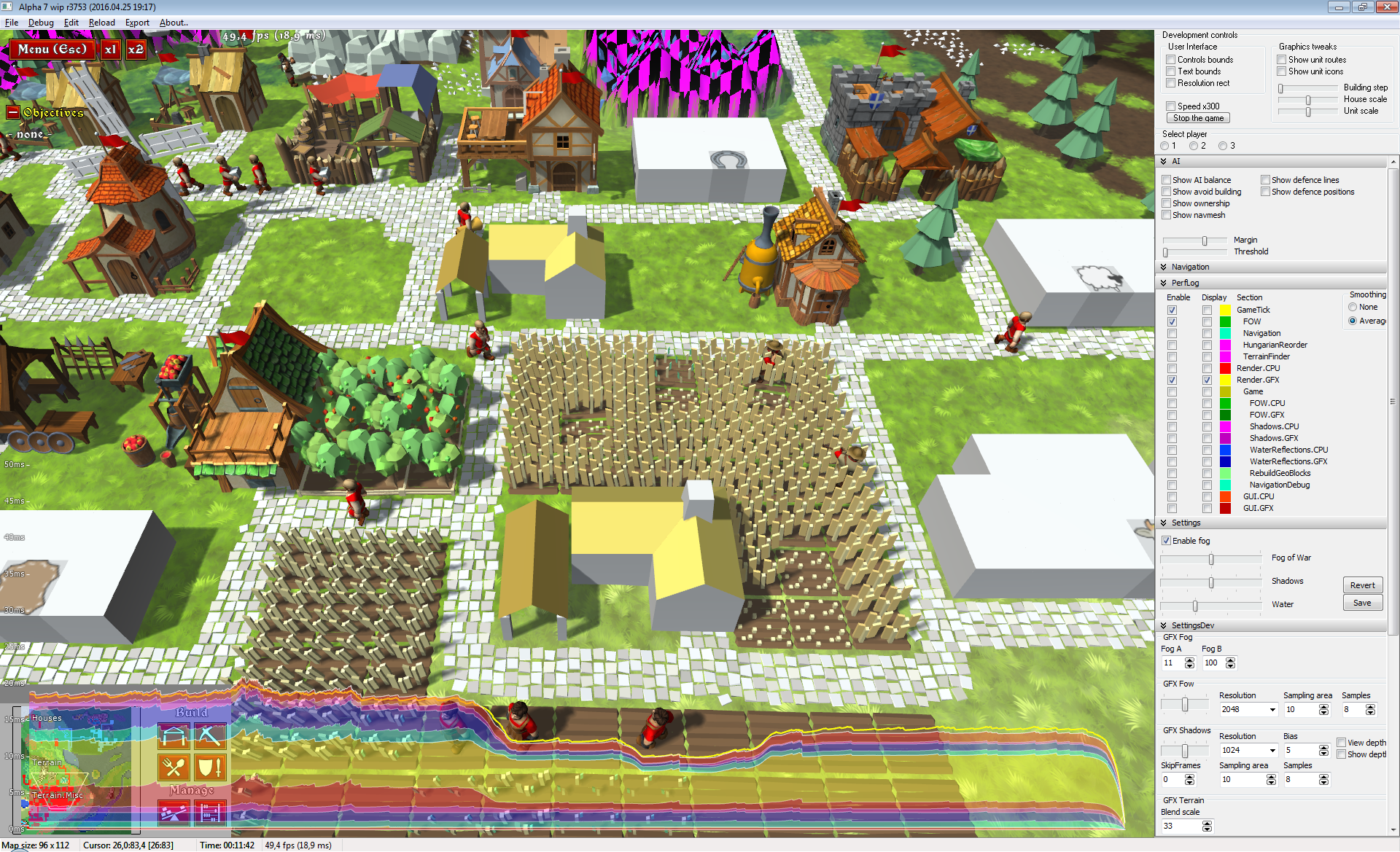
Rigged those fancy-looking performance charts today. Each section is part of the total frame render time. As you can see, example frame gets rendered under 20ms (equals to ~50fps). Most of the time is spent in rendering of terrain and houses. This will be invaluable tool to deal with rendering optimizations! 🙂
Was working on more sounds today and made this Sawmill video:
There are 8 separate saw sounds that get uniquely combined each time.
I have a perfectionist bit in me that always tends to halt whatever is being made in favor of “making it perfect”. All in all “making it perfect” is a great idea, but it very often means that nothing is being made at all. So yesterday I said “Enough!” and went on a SFX spree – picking whatever free sounds are good enough for the game. It was not easy – I was still heavily nitpicking and tweaking sounds. In the end I put whole 4,5 (four and a half) most frequently used sounds (placeholders, cos I they don’t fit) into Knights Province. Why going for placeholders rather than fitting sound? – because placeholders are better than nothing, which is usually the case when “making it perfect” is involved.
TL;DR – Knights Province Alpha 7 is going to be less of a “silence room”.
Bonus chat – name 4,5 sounds that I have added. They are ones of the most frequently used sounds in the game, missing in Alpha 6.
With more content in the game (units, houses, terrain textures) the game loading got noticeably slower. Being able to launch the game and check the changes as quickly as possible is critical for early development. It disrupts the workflow a lot when I need to restart the game to check out changes made in code, dozen of times in a row. Optimizations had to be applied.
There are hundreds of places that could be optimized in Alpha version of a game. Many of those optimizations are going to improve the performance just a bit, many will take a lot of time and complicate the code. The aim is to find the “best” optimization – one that takes least time to implement, desirably simplifies the code (yes, that is possible) and brings best performance improvement.
Proper way of dealing with this case is to profile the game. But since we talking only about the initial loading time, we can get with a much simpler approach – logging. For that the game is instrumented with functions to write each loading step timestamp into log.
It revealed that on average full game loading from exe launch to playable mission takes 13.4 seconds. 8 seconds of which are spent loading PNG textures for units, houses and terrain (total of 95 images with loading time raging from 5 to 1800 msec). This is the target now.
I have little control over PNG library that loads the textures, so switching to another one could be a thing top try, but PNGs are known to be slow, so I did not spend time on that. There are several viable options still:
First option is best for release version of the game. It takes time to convert textures and they can not be changed easily after that. Loading times are best.
Third option is obviously worst alternative, since it breaks the game art. It could be used for simulation runs probably (e.g. runs where AI gets tested).
I chose second option because it does not make working with textures any different that it is now. Also it is an interesting task (multithreading) that I have little experience with. It will be possible to apply to other tasks (mainly keeping models loading in mind, but other applications are viable too).
Keeping generic requirements in mind (that designed class should work for textures, models and other yet unknown applications with minimal changes) I came to the following simple layout:
Why making the pool in a separate thread? It allows to run it in the background, for example reloading textures on-the-fly without freezing the game (not tested yet).
Once implemented, this cut down textures loading time from 8 sec down to 2.6 sec. Quite nice if you ask me. But of course I plan to add more and more models and textures and other kinds of content, worsening loading times with that. So at some point in time I will have to repeat the process and find another “best” optimization 🙂


